Botinto AI chatbot & email helpdesk for small businesses
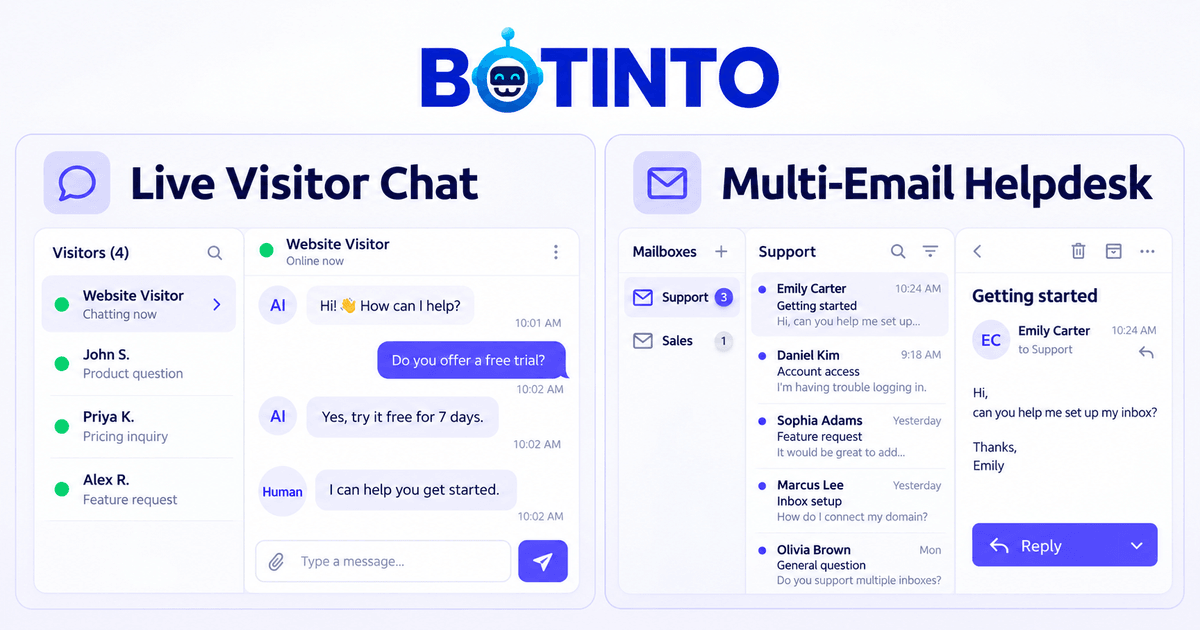
Answer website questions with an AI chatbot and manage customer emails in a shared inbox. Take over a live chat yourself or bring in a teammate when a customer needs a person.
Give routine questions to AI. Keep conversations that need your attention close at hand.
01 / WEBSITE CHAT
An AI chatbot that knows what you’ve taught it.
Add your FAQs, policies and product information. Your chatbot uses that knowledge to answer common questions, while visitors can ask for a person or leave details for a follow-up.
Multi-email helpdesk inbox. One place for every customer request.
Bring new messages from Gmail, Google Workspace and business email into Email tickets. Keep customer requests organized and reply from the connected address.
Website conversations live in My Chat; customer emails live in Email Tickets. Both are part of your Botinto workspace.
START SOLO. SHARE THE WORK AS YOU GROW.
AI helps. You stay in charge.
Step into the conversation.
When a visitor selects Talk to a person, open the request and take the chat. AI pauses while you reply. Assign a teammate, add private notes and keep the conversation’s context.
Keep useful answers close.
Maintain one set of approved business knowledge for chatbot answers and email reply drafts. Update a policy or FAQ as your business changes, then check the answers.
Work from your browser.
Handle chats and email tickets on your laptop or phone. Starter gives a solo founder one seat; Growth gives a small team room to share customer support.
A PRACTICAL START
Set up the support your business needs.
01
Add your business knowledge
Create your workspace and add the questions customers ask most. Test your chatbot against your approved answers.
02
Connect chat and email
Paste the chat widget into your website. For email, forward new mail to Botinto and verify your sending settings using the setup guide.
03
Help customers your way
Let AI answer routine website questions. Take human chats, review email drafts and share follow-ups with your team.
FOR ONE PERSON OR A SMALL TEAM
Start small. Add room as you grow.
Try 7 days free with 100 AI credits. Choose Starter, Growth or a Custom plan when you’re ready.
Showing USD prices. Your country must be confirmed before checkout. US$0.01 = 1 AI credit. Credits reset on the first of each calendar month in UTC.
Paid plans cover 30 days with manual renewal. Email receives new messages through forwarding; replies require verified sending settings. Paid checkout opens after launch validation.
Botinto is for solo founders and small teams who handle customer support alongside running their business. It brings an AI website chatbot, human chat and a multi-email helpdesk inbox into one workspace. Start on your own and add teammates within your plan’s seat allowance.
Can I or my team take over a live chat?
Yes. A visitor can choose Talk to a person, and your team can open the request in My Chat and choose Take chat. You can also take over an AI conversation yourself. AI pauses while a human handles the chat. Use Let AI reply to resume automatic answers to new visitor messages.
Can I manage multiple email addresses in one helpdesk inbox?
Yes. Connect Gmail, Google Workspace or business email addresses by forwarding new incoming mail to their private Botinto receiving addresses. Manage those messages in the helpdesk under Email Ticket Inbox and configure verified SMTP sending to reply from your own address. Website conversations stay in My Chat, with both sections in the same workspace.
Does AI send email replies automatically?
Email AI prepares a draft using the message context and your approved knowledge. You review, edit and send it. Website chatbot replies can be automatic; email sending stays under your control. You can also write replies yourself, save drafts and add attachments.
Do I need technical skills to get started?
Manage Botinto through your browser. For website chat, add your website address and paste the widget snippet into its footer or ask your website manager to help. For email, follow the forwarding and sending setup guide for each mailbox. Signing in with Google does not connect your Gmail inbox.
How does the free trial work?
Start with a 7-day free trial, 100 AI credits, one seat and 10 MB of knowledge storage. No credit card is required. Starter is for one person; Growth adds capacity for a small team. Paid plans cover 30 days with manual renewal.
Can I handle customer support from my phone?
Yes. Use the Botinto website in your laptop or mobile browser to read chats, reply to customers and manage email tickets. Visitors can use the website chat widget on mobile too.
What happens when I use all my AI credits?
AI processing pauses, but incoming customer messages are still saved and your team can reply manually. The allowance resets on the first day of each calendar month in UTC while your plan is active. Human chat replies and private team notes do not use AI credits.
BUILT FOR THE PEOPLE DOING THE WORK
A helpful chatbot. A clearer email helpdesk inbox. More time for your business.